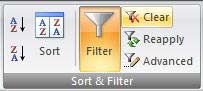
Using Filter to Find Records in Excel 2007
March 19, 2008
Excel 2007 provides dramatic improvements to the Filter function in Excel. You can quickly filter a list to find a specific customer, records from a certain month, or records highlighted in a certain color.
Try these steps to add an ad-hoc total to your data set:
- Turn on the filter feature as described above.
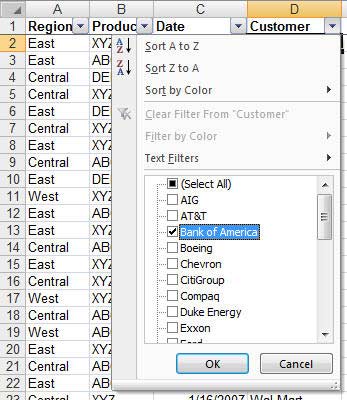
- Filter the list to one customer: Open the Customer dropdown. Click Select All to unselect all customers. Click on customer to select that customer.
- Select cells directly below the data in the columns for any numeric fields.
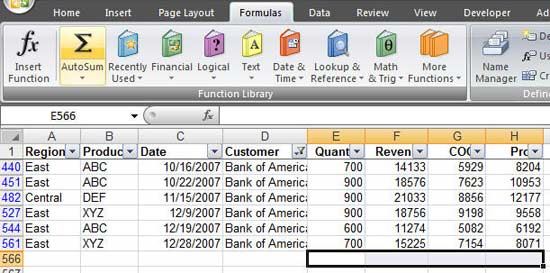
- On the Formulas tab of the ribbon, select the AutoSum icon (it is a Greek letter E, or Sigma)
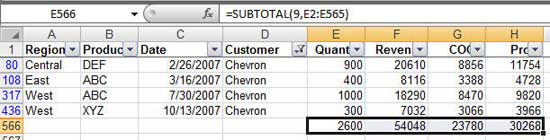
The totals that appear will only total the visible records. So, in this image, one customer had $406K of revenue:
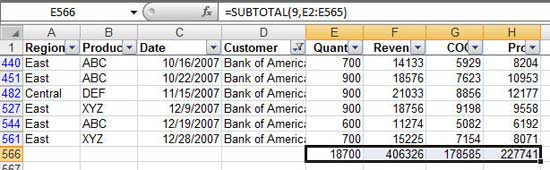
Choose a different customer from the dropdown in D1 and the total will reflect that customer:
New in Excel 2007
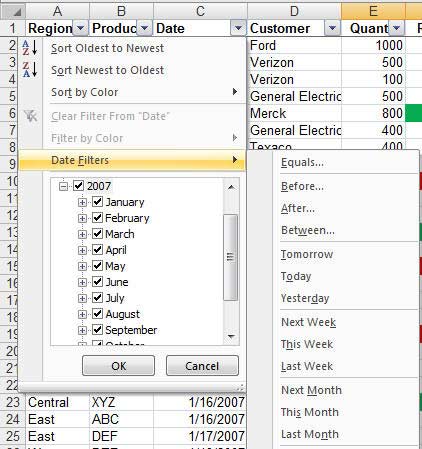
- The dropdown for a date column automatically offers a hierarchical view of the dates. Click the plus sign next to 2007 to see all of the months in 2007. Click the plus sign next to any month to see all of the days in that month. Or, use the new Date Filters to filter to last week, this month, next quarter, and so on.
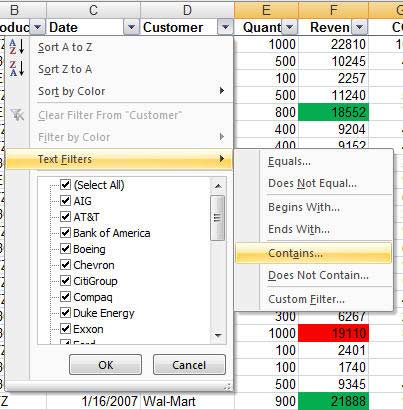
- Filter a text field to only records that contain a certain word
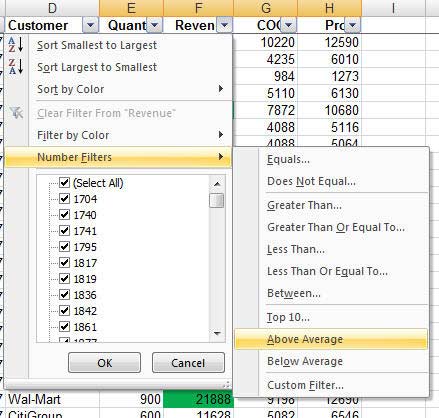
- Filter a numeric column to only records above average:
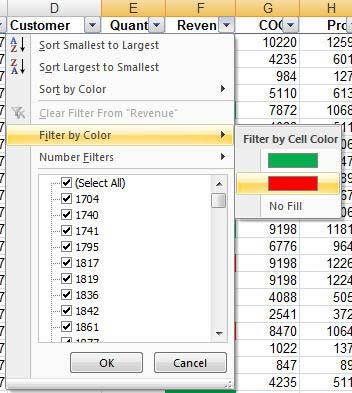
- Filter by color:
To clear all filters, use the Clear icon on the Data tab of the ribbon.